Every drive in your electric car logged with its times, places, miles, energy and cost. Mark the business trips, and export the tax year as a PDF or spreadsheet with the claim worked out at HMRC rates. No notebook, no typing in odometer readings.
With EVgauge connected to your car through a small OBD dongle, each drive is saved when you park: date, start and end times, where it started and ended, miles, kWh and what the electricity cost. On iPhone it can record without you opening the app.
Mark the business drives as you go or at the end of the month. Running totals show business miles, cost per mile and what the same miles would have cost in a petrol car.
Export this tax year (6 April to 5 April), last tax year, the last 30 days or every trip, as a PDF report for your employer or accountant, or a CSV spreadsheet. For your own car the report works out the claim at 45p a mile for the first 10,000 business miles and 25p after.
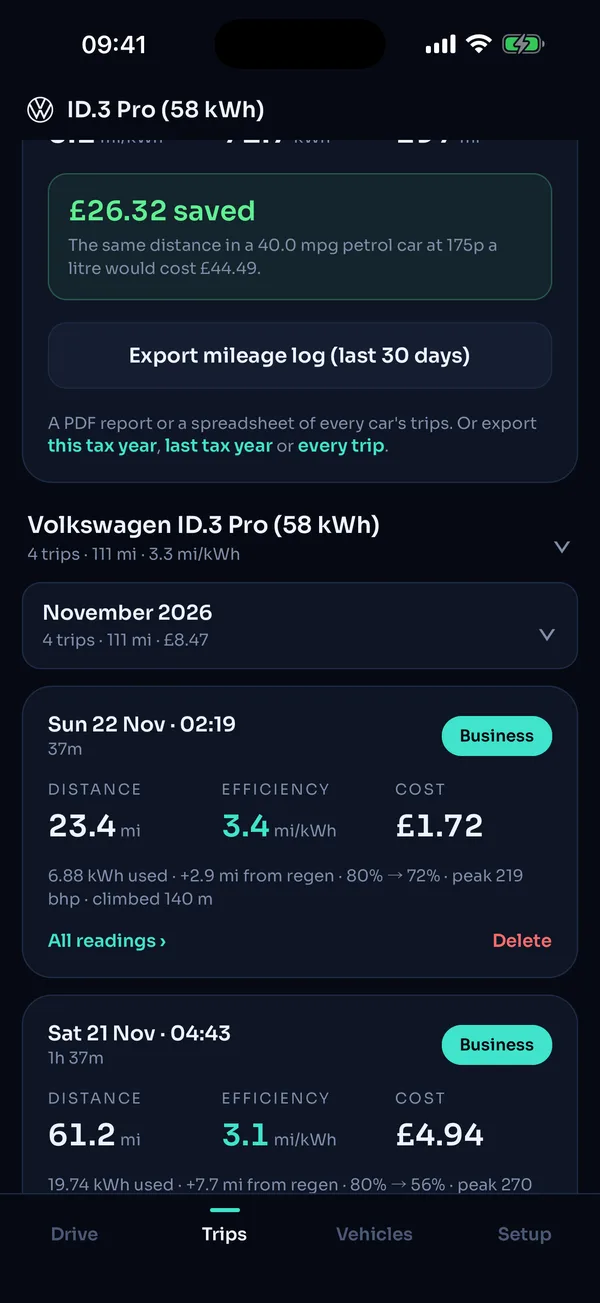
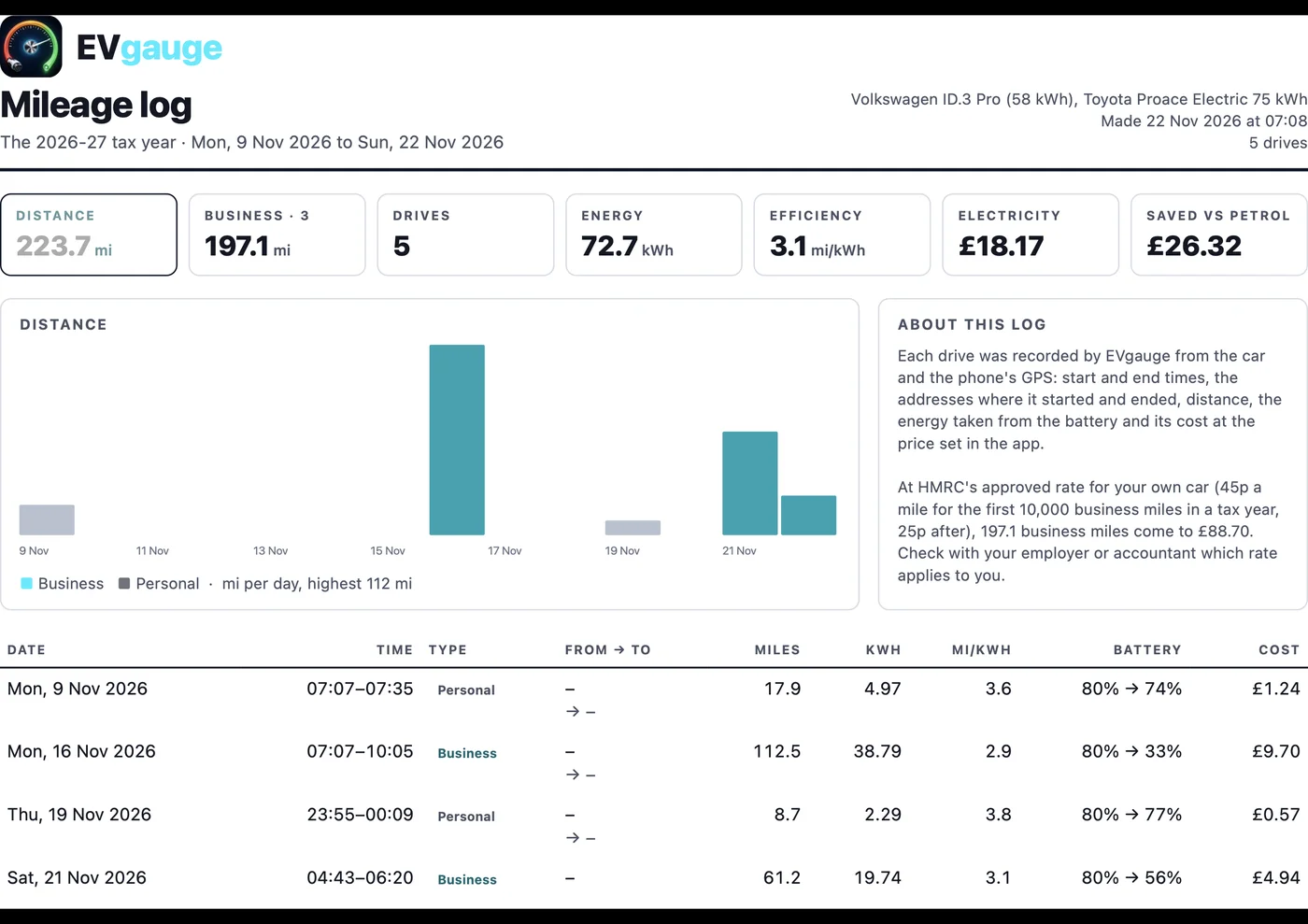
A sample report, made from a simulated drive. Yours lists the places each drive started and ended.
Can EVgauge keep my business mileage log?
Yes. With EVgauge connected to your car through a small OBD dongle, every drive is saved with its date, start and end times, where it started and ended, miles, energy used and cost. Mark the business ones with one tap, then export the log for the tax year.
What does the mileage log export look like?
A landscape PDF report you can send to your employer or accountant, or a CSV spreadsheet to work with yourself. Both cover this tax year, last tax year, the last 30 days or every trip, for every car you use.
What rate does it use for a mileage claim?
For your own car the report works out the claim at HMRC’s approved mileage rates: 45p a mile for the first 10,000 business miles in a tax year and 25p after. Company car drivers use their employer’s rate instead; the log gives them the business miles.
Do I have to start a trip in the app?
No. On iPhone, EVgauge can record drives without being opened: the phone wakes it when you drive off and when the dongle comes back into range. Allow location “Always” when the app asks.
How much does it cost?
EVgauge is free to download, including the “Will it work on my car?” check. The mileage log export is part of EVgauge Pro, a one-off £9.99 (or local equivalent) with no subscription.
What you need: an iPhone and an OBD dongle for the socket under the dashboard. See the dongles we have tested. Check your car first with the free "Will it work on my car?" check: owner-checked so far are the BYD Seal, Toyota Proace Electric and Volkswagen ID.3 Pro, with hundreds more listed.
 EVgauge